
At home or on the go — the King999 app stays in your pocket. Full-screen gaming, fast deposits and withdrawals, and exclusive app bonuses.
Smartphones are now an essential part of everyday life. Most people in Bangladesh access the internet through their phones. With that in mind, King999 has built a full-featured mobile app that is far smoother and faster than any browser experience.
Everything on the King999 app mirrors the website — the difference is the experience. Games load faster, navigation is smoother, and you get push notifications for new offers and bonuses.
The app is available on both Android and iOS. At just 45 MB, it runs smoothly even on low-storage devices. It's also optimized for low-bandwidth connections, so a slow internet speed won't hold you back.
The King999 app protects your account and transactions with SSL encryption and two-factor authentication (2FA). Privacy Policy →
First-time login on the King999 app unlocks a special welcome bonus available exclusively to app users.
The King999 app is updated regularly. Be the first to access new games, features, and bonuses.
King999 app is available on both Android and iOS
Download the APK file and install it directly
The full King999 app experience on iPhone and iPad

Even without Google Play Store, installation via APK is straightforward:
Go to Settings → Security → enable "Install from Unknown Sources" on your phone. This is required to install APK files.
Download the Android APK file directly from the King999 website.
Tap the downloaded APK file and click the "Install" button.
Once installation is complete, open the app. Log in if you already have an account, or register a new one.
Right after logging in, you'll receive your exclusive app welcome bonus and have access to all games.
Always download the King999 APK from the official website at king999.ng. Files from third-party links may not be safe.
Install the King999 app on your iPhone or iPad in just a few steps:
Visit king999.ng on your iPhone using the Safari browser.
Go to the app section on the website and select the iOS download option.
Tap the Share button in Safari and select "Add to Home Screen."
The King999 app icon will be added directly to your iPhone home screen.
Tap the king999 icon on your home screen for an app-like experience.
On iOS, King999 uses Progressive Web App (PWA) technology, which works just like a native app — no separate installation process required.
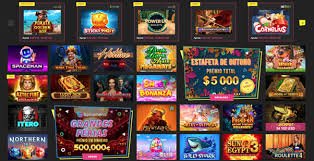
Why users prefer the King999 app
Games load 3x faster on the King999 app than in a browser. No lag between every spin or hand.
Log in in seconds with your fingerprint or Face ID. No more typing passwords.
Get instant notifications on your phone for new bonuses, free spin offers, and jackpot wins.
King999's dark mode reduces eye strain when you're playing late at night.
Even on a slow connection, King999's low-data mode keeps games running smoothly.
Deposit in just one tap using your saved payment method.
Deposits, withdrawals, KYC uploads, limit settings — all manageable right from the app.
Chat with King999 live support without leaving the app.
Which is more convenient? Take a look:
| Features | King999 App | Mobile Browser |
|---|---|---|
| Game Load Speed | Faster | General |
| Biometric Login | ✔ Available | ✘ Not Available |
| Push Notifications | ✔ Available | ✘ Not Available |
| App-Exclusive Bonuses | ✔ Available | ✘ Not Available |
| Dark Mode | ✔ Available | Partial |
| Low-Data Mode | ✔ Available | ✘ Not Available |
| In-App Chat | ✔ Available | Limited |

Many people assume mobile gaming can't match the desktop experience. The King999 app proves otherwise. The interface is specifically optimized for smartphone screens — every button, menu, and game control is easy to use even on smaller displays.
All games on the King999 app are built with HTML5, so graphics and animations look just as sharp on mobile. Slots, Live Casino, poker — the full experience is available through the app.
King999 releases app updates regularly. Each update brings new games along with security patches and performance improvements. It's always recommended to use the latest version.
Android users will receive update notifications directly in the app. iOS users can update by removing the existing shortcut and using Add to Home Screen again.
Deposits and withdrawals on the King999 app are simple. Just tap the "Wallet" icon in the bottom navigation bar to access both options. You can transact via mobile banking, e-wallet, or crypto.
Save your payment method once and deposit with a single tap every time after that. King999 encrypts and stores your payment details securely, so there's nothing to worry about.
Password + SMS OTP or biometric — two layers of security protecting your King999 account.
In the Betting section of the King999 app, you can follow live match scores and stats in real time.
"The app runs incredibly smooth. Games load in under a second. Downloading the King999 app was absolutely the right call."
"Fingerprint login is a game-changer. No more typing in my password every time."
"Deposits and withdrawals are so much easier through the app. I used to do everything on the browser — now it's all on the app."
Frequently Asked Questions About the King999 App
Register for free, download the app, and enjoy an exclusive app welcome bonus
Get the Android App Login